iMarksman
iMarksman® Use of Force System (Base)
iMarksman® Use of Force System (Base)
Couldn't load pickup availability
Product Description
iMarksman® Use of Force System
The iMarksman® Use of Force System enhances trainees’ accuracy and decision-making skills through dynamic scenarios and video targets.
Trainers can create diverse and engaging training programs to help students improve their ability to aim, shoot, and identify targets. Since accuracy and speed are critical for shooters, we’ve developed multiple modes with fully customizable, interactive scenarios—limited only by your imagination.
🎥 Watch Rob Pincus' review of the iMarksman® Use of Force System.
Key Features
Custom Backgrounds
Add familiar, real-world backgrounds to your training environment!
- Simply copy your desired images (e.g., a local mall, school, office, or park) and paste them into the iMarksman® background folder.

Video Mode
Transform any video into a virtual shooting scenario—no editing required.
- Copy and paste the video into the iMarksman® Video Target folder.
- The video will automatically stop after the first shot and display the subsequent shot patterns.
- Example: Use footage from a patrol car’s dashboard camera for realistic training scenarios.
Random Mode
Enhance dynamic decision-making with pre-selected targets appearing in random positions.
- Targets vary in size, position, and duration during the session.
- Review shot placement history, timing, and gun movement after the session.
🎥 See iMarksman® Simulator Random Mode in Action.
Manual Mode
Take full control of your training sessions.
- Instructors can manually select backgrounds and target sets.
- Adjust target positions and time frames in real-time.
- Review key performance metrics:
- Shot placement
- Timing between shots
- Gun movement
🎯 Learn More About Manual Mode.
Script Mode
Design complete training scenarios with Script Mode.
- Create custom environments using specific backgrounds and targets.
- Add realism by making targets move toward or away from the trainee.
- Integrate voice files so targets can “speak” during the scenario.
- Define “hit zones” and the number of shots required to take a target down.
- Customize the total number of shots available for the trainee.
🎥 Watch the YouTube Video About Script Mode.
Extensive Target Library
- Access a default library with 120+ shoot/don’t shoot targets for a variety of training scenarios.
- Add your own static images to further customize and expand your library.
What’s Included in the Package?
✔ iMarksman® Base Use of Force Software – Unlimited Warranty
✔ iMarksman® Calibration Sensor Camera – 1-Year Warranty
- Includes Calibration Software (Unlimited Warranty)
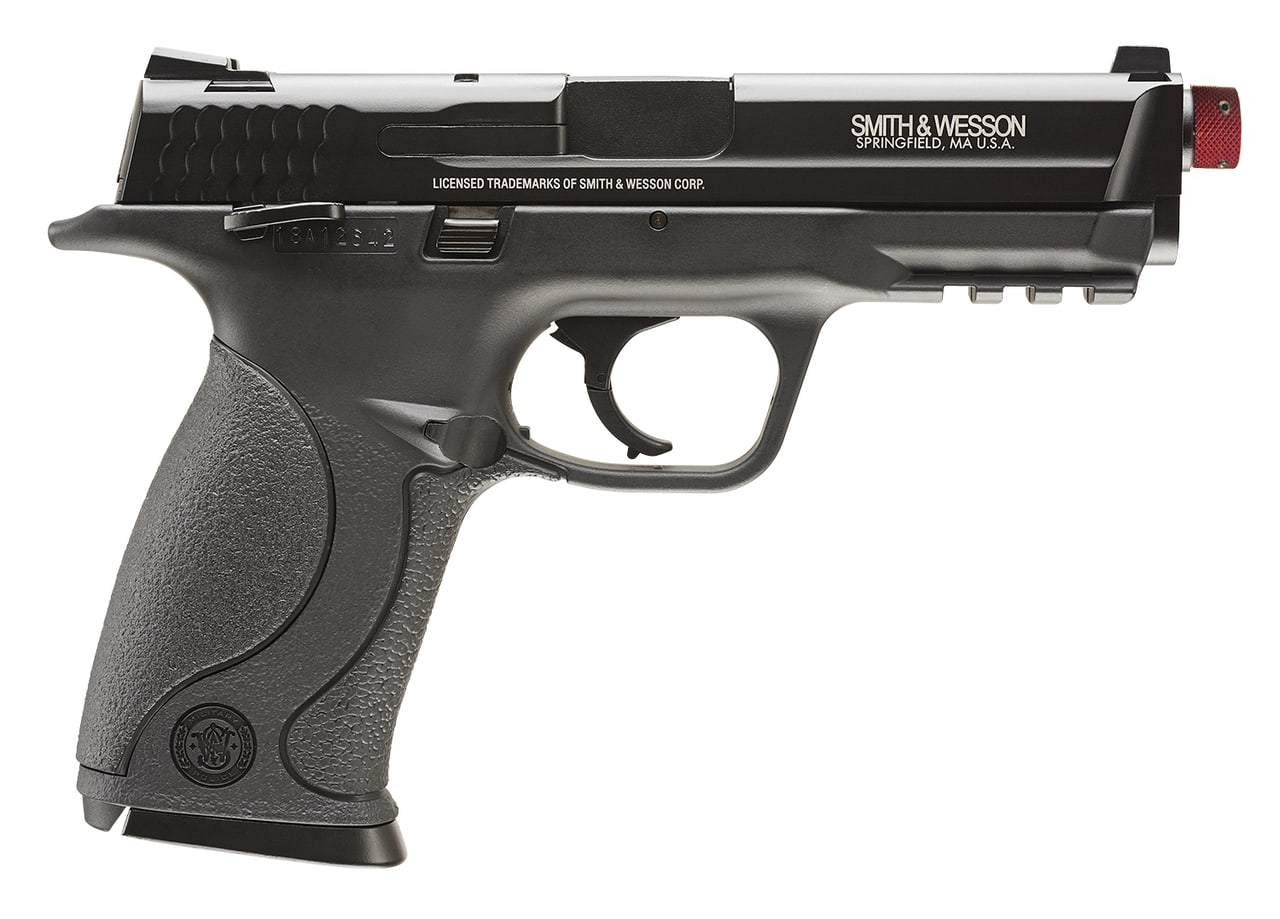
✔ IR Training Handgun – Trigger Reset Functionality (Optional Recoil) – 6-Month Warranty
✔ IR Camera Filter
✔ Tripod
Optional Upgrade
If you're looking for a short-throw camera, upgrade your package using the following link: Upgrade Here.
Getting Started

WARRANTY
6-Month Limited Warranty
iDryfire expressly warrants solely to the original consumer purchaser that this training product is free from defects in workmanship and materials for 6 months from the date of purchase.
Any implied warranties, including the warranty of merchantability or fitness for a particular purpose, are limited to the same 6-month period from the date of purchase by the original consumer purchaser.
This warranty is non-transferable and applies only to the original purchaser.
We are committed to providing quality products and stand by our craftsmanship. Please contact us if you experience any issues within the warranty period.
Returns Policy
Before placing an order, please ensure you are familiar with Airsoft Gas Pistol technology and its features.
-
Custom Orders:
All IR modules are custom-made to order—you have 24 hours to cancel your order without penalty. After 24 hours, a 20% cancellation fee will apply. -
Condition for Returns:
All returned products must be in original packaging and in resalable condition to qualify for a refund or exchange. -
Compatibility:
If you are unsure about compatibility with other IR Target Systems, please contact us before purchasing to ensure the product meets your needs.
Restocking Fee Policy
Defective Products:
If the product does not operate according to the specifications, you may return it for an exchange or refund. No restocking fees will be charged. Please ensure the product is returned in its original packaging.
Change of Mind - Within 14 Days:
If you change your mind and decide to return a product within 14 days, a 10% restocking fee will apply. The product must be returned in its original packaging and in resalable condition to qualify for a refund.
Change of Mind - After 14 Days:
If you decide to return a product after the 14-day period, a 20% restocking fee will apply to fully functional products. The product must be returned in original packaging and in resalable condition to qualify for a refund.
Please note: We are not responsible for lost license keys, computer or hardware failure, or issues related to transferring the license from one computer to another.
If the license information is not available, a replacement license can be purchased.
We appreciate your understanding and cooperation in adhering to these guidelines. If you have any questions or concerns, please feel free to contact us prior to making a purchase.
Warranty
Shipping & Delivery
Return Policy
SKU:IMARK-BASE-SIRT-STUD